Does Schema Markup Help AI Search Understand Your Website?

SEO Specialist
- Schema turns your page into clear facts: who you are, what the page is, who wrote it and what you sell.
- Microsoft (Bing and Copilot) has publicly said it uses schema for its LLMs.
- Google requires no special schema for AI features, but wants structured data to match visible text.
- Start with Organization or LocalBusiness, Person, Article, BreadcrumbList, and Product or Service.
- Wrong or misleading schema can hurt trust. Only mark up what users can see.
What is schema markup?
Schema markup is a block of structured data, usually in JSON-LD format, that labels the information on your page using the shared vocabulary at schema.org. Humans read “RB Sojib, SEO specialist in Dhaka.” Schema tells machines: this is a Person, the job title is “SEO Specialist”, the location is Dhaka, and these are his official profiles.
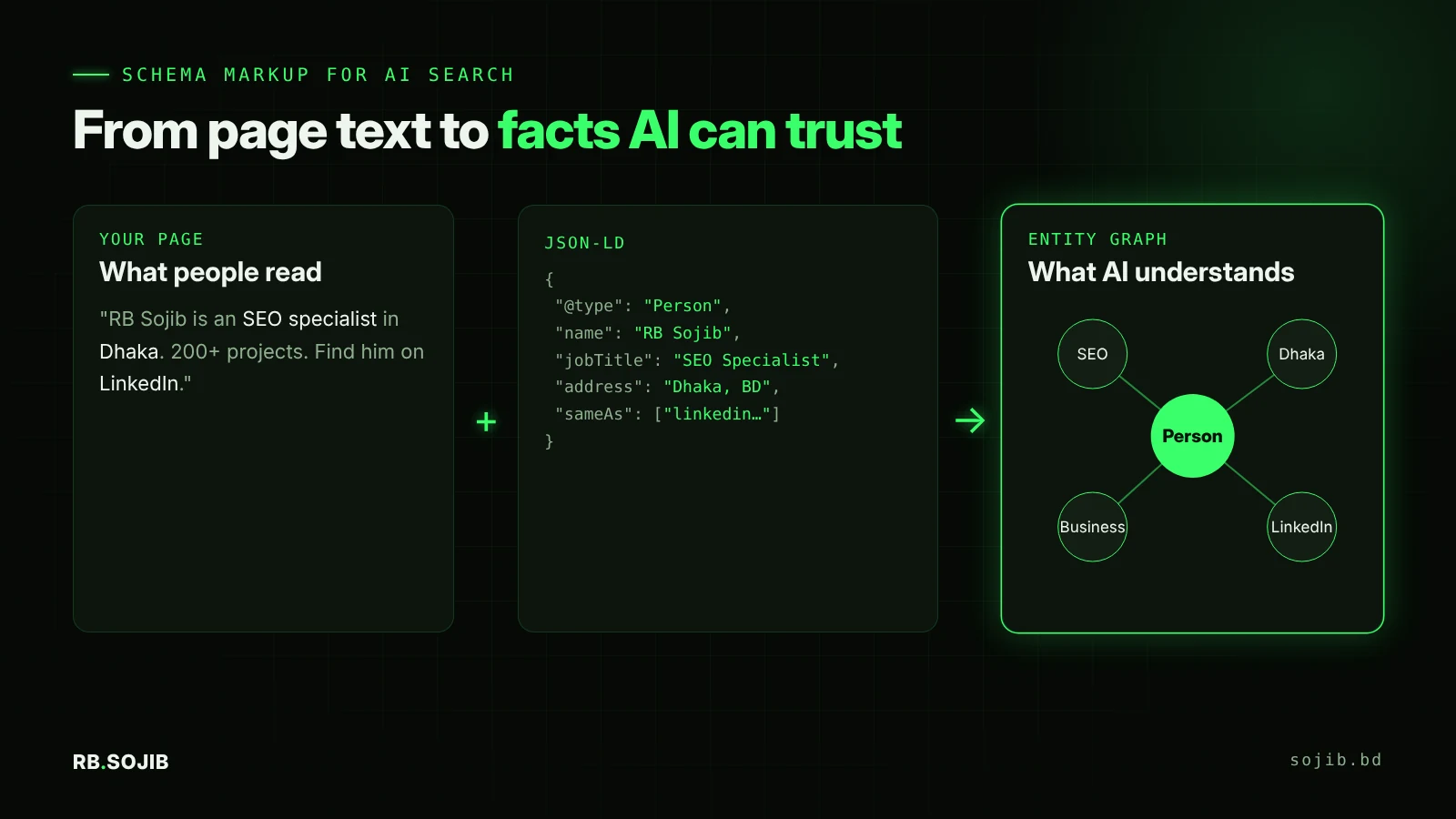
Does schema markup really help AI search? What the platforms say
Microsoft Bing and Copilot: yes
At SMX Munich in 2025, Microsoft’s Fabrice Canel said Bing uses schema markup to help its LLMs understand content, as reported by Search Engine Land. This is the clearest public confirmation from a major AI search provider. Bing data also matters beyond Copilot, since several AI tools draw on Microsoft’s web data.
Google AI Overviews and AI Mode: helpful, not required
Google’s AI features guide says you do not need any special schema.org structured data to appear in AI Overviews or AI Mode. It also lists “make sure structured data matches the visible content” as a best practice. Google’s general position, in its structured data introduction, is that structured data gives explicit clues about a page’s meaning.
Free, with a written report.
Get my free auditChatGPT and Perplexity: indirect benefit
OpenAI and Perplexity have not published schema guidance. Their answers depend on the search indexes they use and on how easily they can extract facts from your page. Clean structured data and a consistent entity across the web make those facts easier to verify.
Which schema types matter most for AI search?
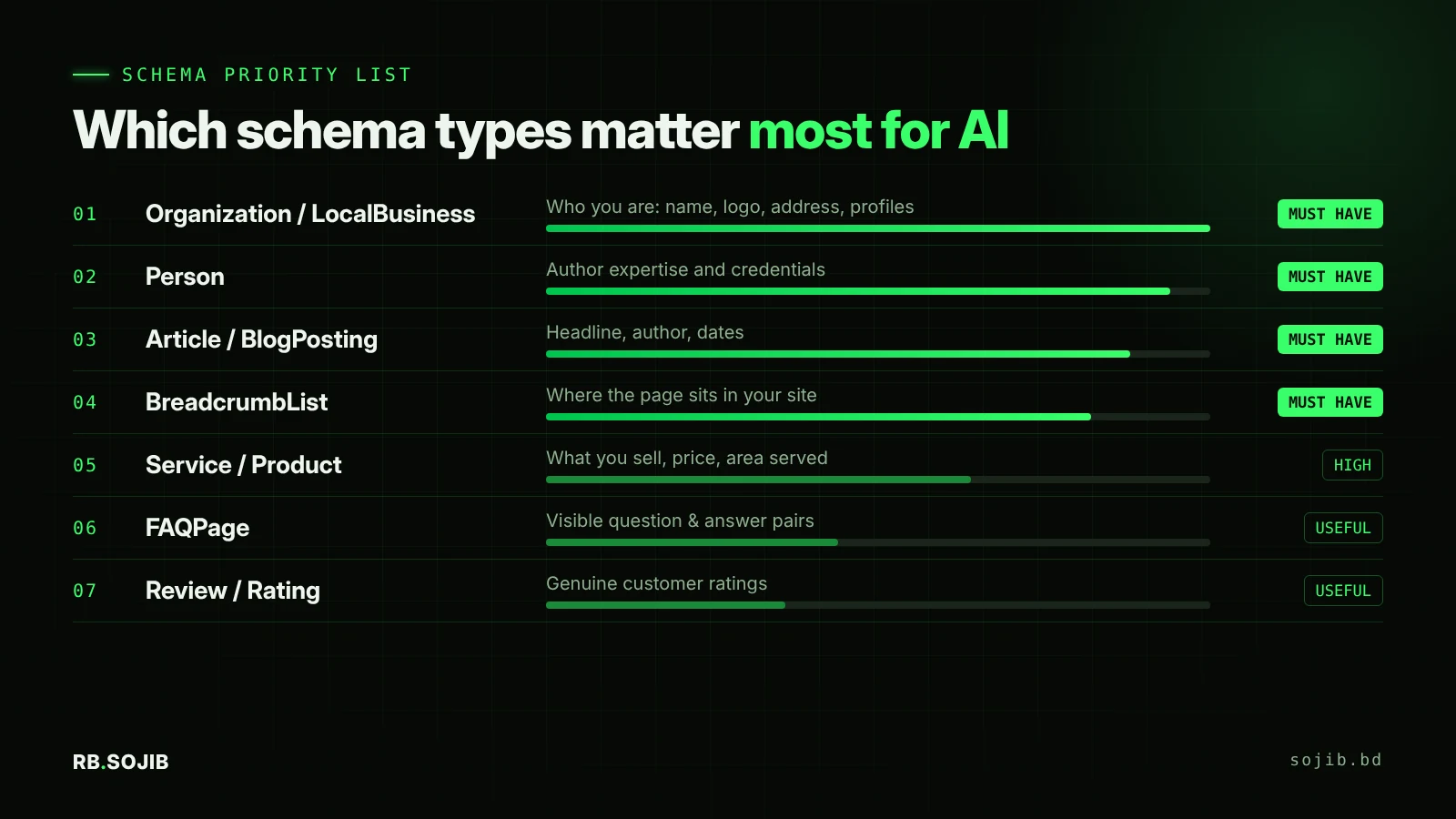
| Schema type | What it tells AI | Use it on |
|---|---|---|
| Organization / LocalBusiness | Your official name, logo, address, phone and social profiles | Home page, contact page |
| Person | Who the author or expert is, job title, credentials | About page, author archive, blog posts |
| Article / BlogPosting | Headline, author, publish and update dates | Every blog post |
| BreadcrumbList | Where the page sits in your site structure | All pages |
| Service / Product | What you sell, price, availability, area served | Service and product pages |
| FAQPage | Question and answer pairs on the page | Pages with real, visible FAQs |
| Review / AggregateRating | Genuine customer ratings | Product pages (follow Google’s review rules) |
Note: Google limited FAQ rich results in 2023 to well-known authoritative government and health sites, so FAQPage markup rarely creates a visual rich result for businesses. It can still describe your question and answer content clearly for machines.
Example: Organization and Person schema for a service business
<script type="application/ld+json">
{
  "@context": "https://schema.org",
  "@graph": [
    {
      "@type": "ProfessionalService",
      "@id": "https://sojib.bd/#business",
      "name": "RB Sojib",
      "url": "https://sojib.bd/",
      "description": "SEO, WordPress and Shopify services in Dhaka, Bangladesh.",
      "address": { "@type": "PostalAddress", "addressLocality": "Dhaka", "addressCountry": "BD" },
      "founder": { "@id": "https://sojib.bd/#person" },
      "sameAs": [
        "https://linkedin.com/in/rbsojib",
        "https://facebook.com/FreelancerMdSojib",
        "https://youtube.com/@rbsojib"
      ]
    },
    {
      "@type": "Person",
      "@id": "https://sojib.bd/#person",
      "name": "RB Sojib",
      "jobTitle": "SEO Specialist",
      "worksFor": { "@id": "https://sojib.bd/#business" },
      "knowsAbout": ["SEO", "Generative Engine Optimization", "WordPress", "Shopify"]
    }
  ]
}
</script>
The @id values connect the business and the person into one graph. The sameAs links tell AI which external profiles belong to the same entity.
How to add schema in WordPress (Rank Math)
- Go to Rank Math › Titles & Meta › Local SEO and fill in business type, name, logo, address and social profiles.
- Under Titles & Meta › Posts, set the default schema to Article › BlogPosting.
- Complete each author’s WordPress profile (bio, job, social links) so Person data is accurate.
- On service pages, open the Rank Math Schema tab and add Service or Product.
- Test with Google’s Rich Results Test and the Schema Markup Validator.
Schema mistakes that confuse AI
- Marking up content users cannot see, such as hidden FAQs or fake ratings.
- Duplicate, conflicting schema from two plugins (for example a theme and Rank Math both outputting Organization).
- Inconsistent names and addresses between schema, the footer and your Google Business Profile.
- Outdated dates: a 2023
dateModifiedon a page you updated last week. - Expecting schema to fix thin content. It labels quality. It does not create it.
Schema is one part of a bigger plan. See the full Generative Engine Optimization guide and how it fits with ranking in Google AI Overviews.
FAQ
Does schema markup help with ChatGPT?
Is schema required to appear in Google AI Overviews?
What is the best schema format for AI?
Can wrong schema hurt my site?
Related posts

ChatGPT SEO for Roofers: How to Get Your Roofing Company Recommended by AI
12 min read

How to Make Your Roofer Website SEO Friendly (Local SEO Guide for NJ, CT, NH, MD & MA)
14 min read

What Is GEO? How to Optimize Your Website for ChatGPT, Gemini and Perplexity
9 min read